Completing Journey Activities
How Activities Work
Each stage in your Compliance Journey contains activities. Unlike a generic checklist, ClearPath activities are interactive workflows tailored to each area of your compliance program. Depending on the stage, you'll work through one of three activity types: policy workflows, vendor assessments, or risk assessments.
Policy Workflows
When you open a policy activity (from the Governance, Risk & Compliance stage or the Policies page), you'll work through a 3-step workflow:
- Survey -- Answer questions about your organization that shape the generated policy. Smart defaults are applied from your Business Context if available. Click Complete Survey when finished.
- Review Document -- ClearPath generates a full policy document based on your answers. Edit it in the rich-text editor -- changes save automatically.
- Approve -- Review the policy summary and click Done to complete the workflow.
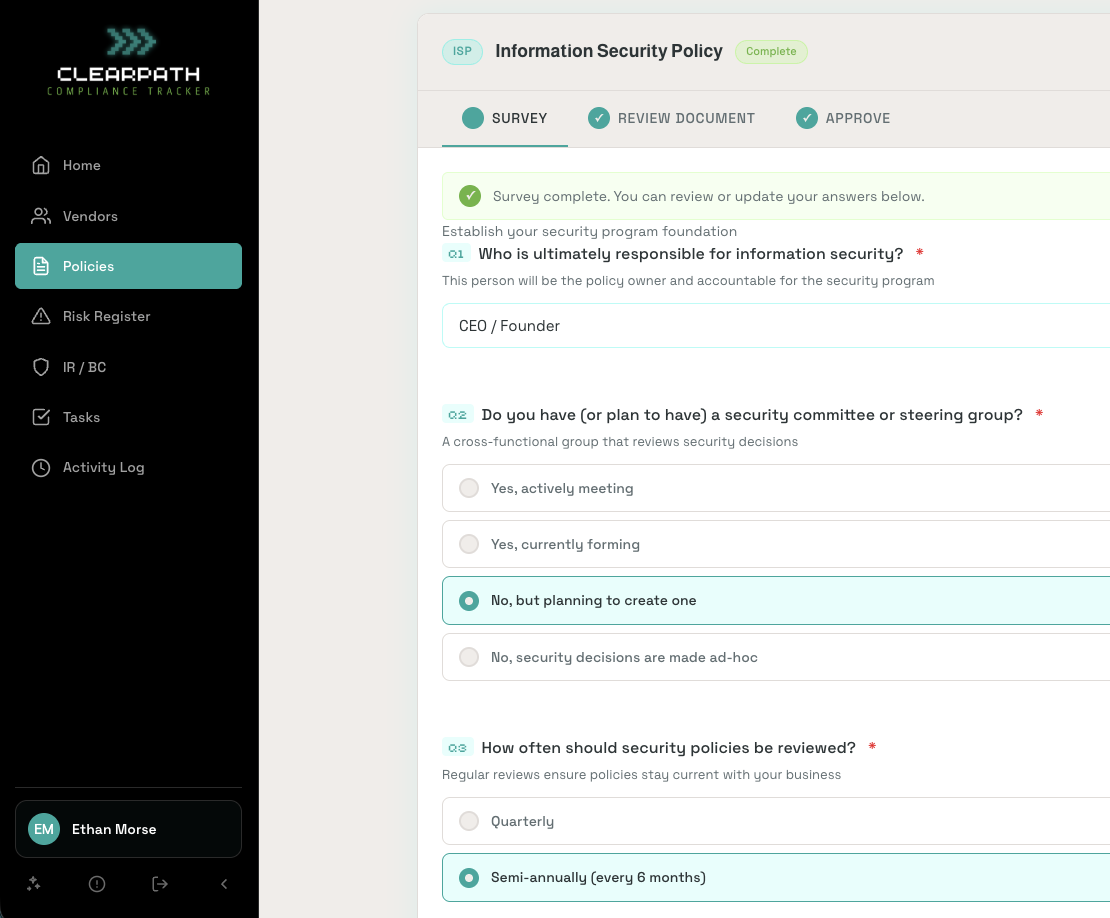
Each tab shows your progress. Completed steps display a green checkmark, and the current step is highlighted. You can go back to update earlier steps at any time.
Vendor Assessments
From the Vendors stage or page, each vendor follows a 3-step workflow:
- Identify -- Review vendor details: name, category, website, and compliance status (SOC 2, ISO 27001). Enterprise vendors from the library come pre-verified.
- Assess -- Answer questions about data access, data types handled, data location, and risk level. ClearPath auto-suggests a risk level based on your answers. Click Complete Assessment when done.
- Document -- Upload compliance documentation (SOC 2 reports, ISO certificates, security questionnaires). Click Mark as Complete to finish.
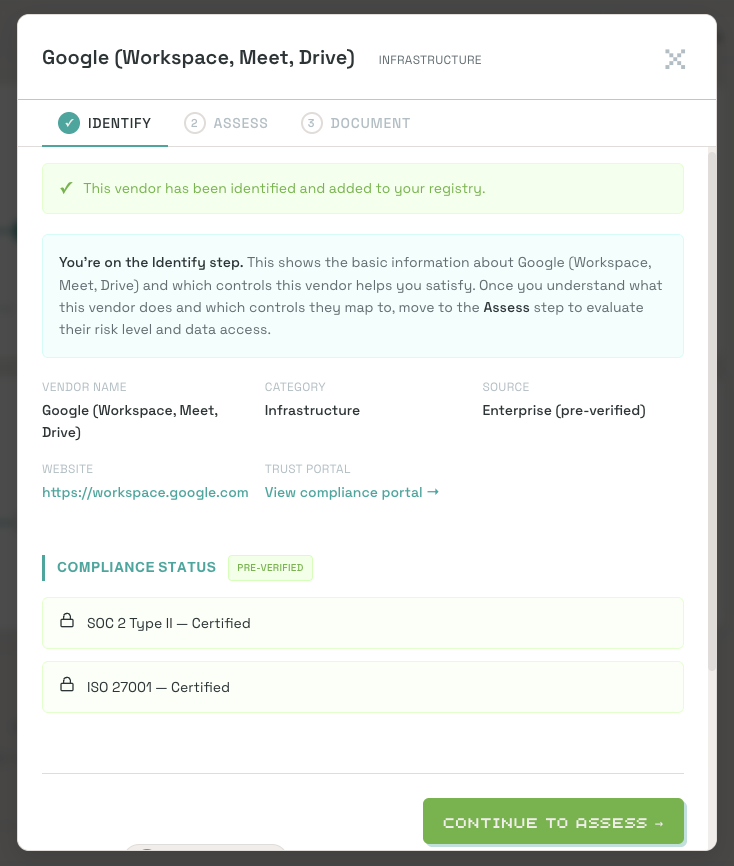
Vendor tiles on the main page show status progression: Needs assessment → Needs documents → Complete.
Risk Assessments
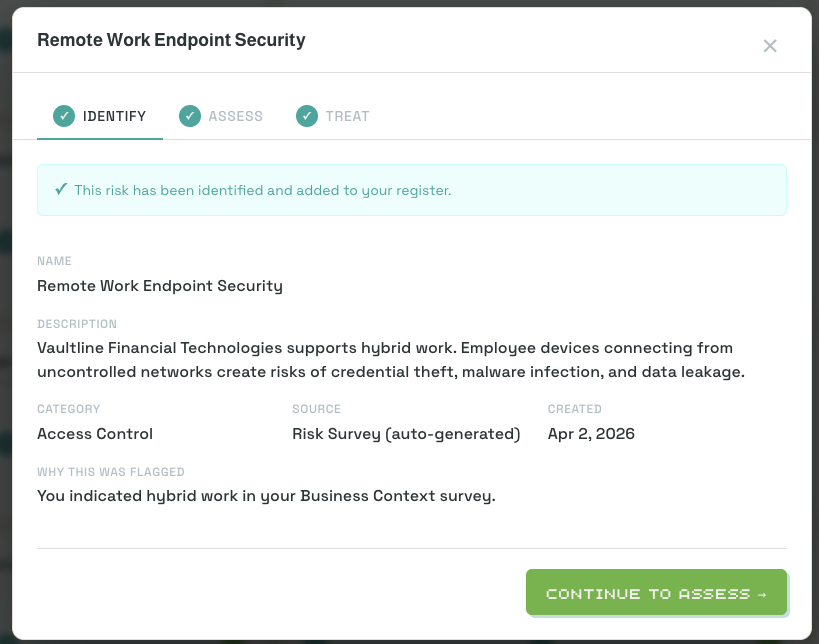
From the Risk Register stage or page, each risk follows a 3-step workflow:
- Identify -- Review the risk name, category, owner, and which controls it relates to. This step is auto-completed when the risk is created.
- Assess -- Rate the risk's likelihood and impact. ClearPath calculates an inherent risk score and assigns a risk level (Critical, High, Medium, Low). Select a treatment approach and assign an owner.
- Treat -- Document your treatment plan, select the controls that mitigate this risk, and set a review schedule (annual, semi-annual, quarterly, or monthly).
What Happens When You Complete an Activity
When you finish a workflow, ClearPath will:
- Update the associated controls to Compliant across all mapped frameworks
- Update your Journey stage progress
- Unlock later stages once all activities in the current stage are complete
If an activity maps to multiple frameworks, all mapped controls are credited automatically. You won't need to revisit them.