Adding and Managing Risks
What Is the Risk Register?
The Risk Register is a log of potential threats to your organization's information security. Auditors expect you to have a documented, maintained risk register -- it demonstrates you've thought systematically about what could go wrong and what you're doing about it.
Accessing the Risk Register
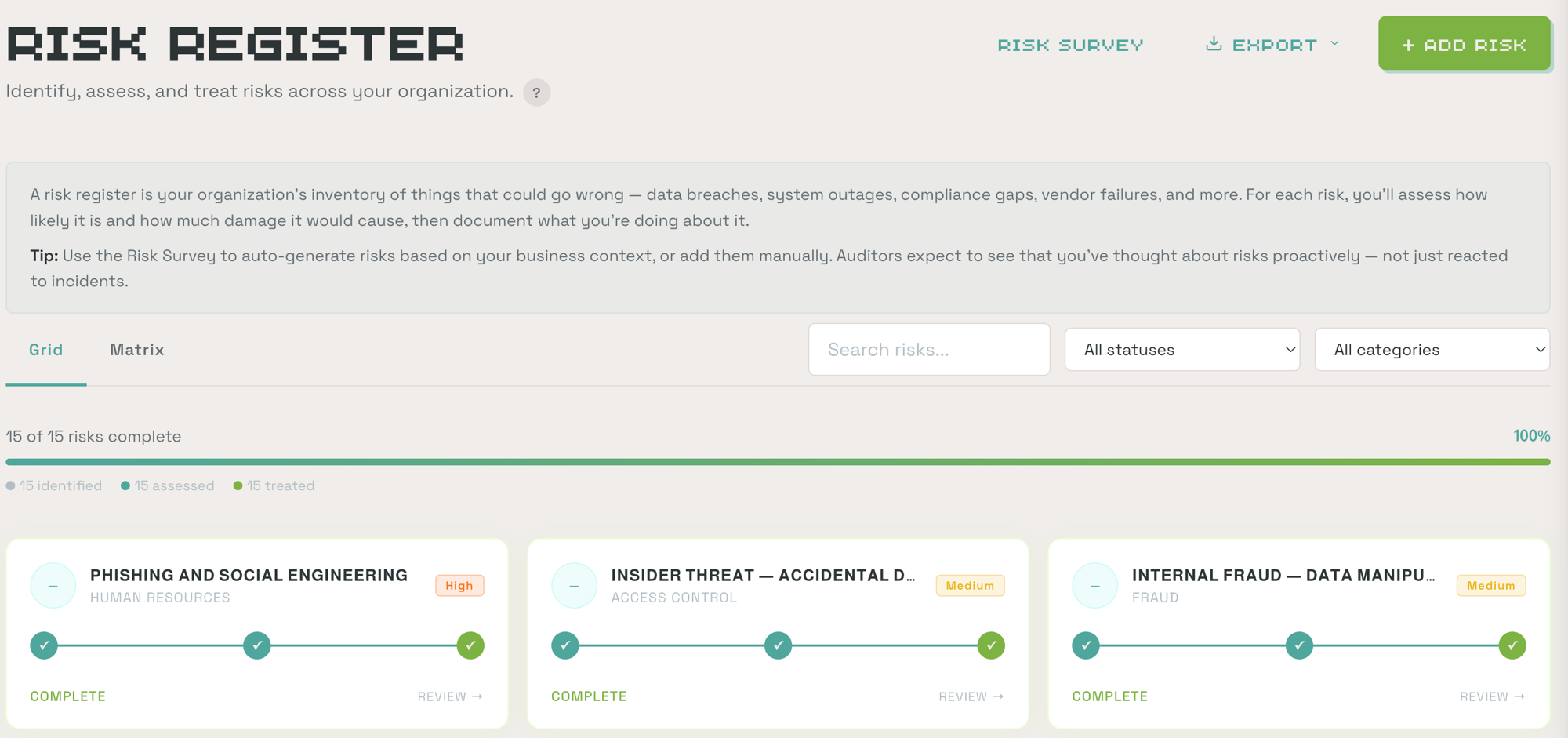
Click Risk Register in the left sidebar. The page has two views:
- Grid view -- Risk tiles showing each risk's status and workflow progress
- Matrix view -- A visual risk matrix plotting risks by likelihood and impact
The 3-Step Risk Workflow
Each risk follows a 3-step workflow: Identify → Assess → Treat. You can track progress on each risk tile.
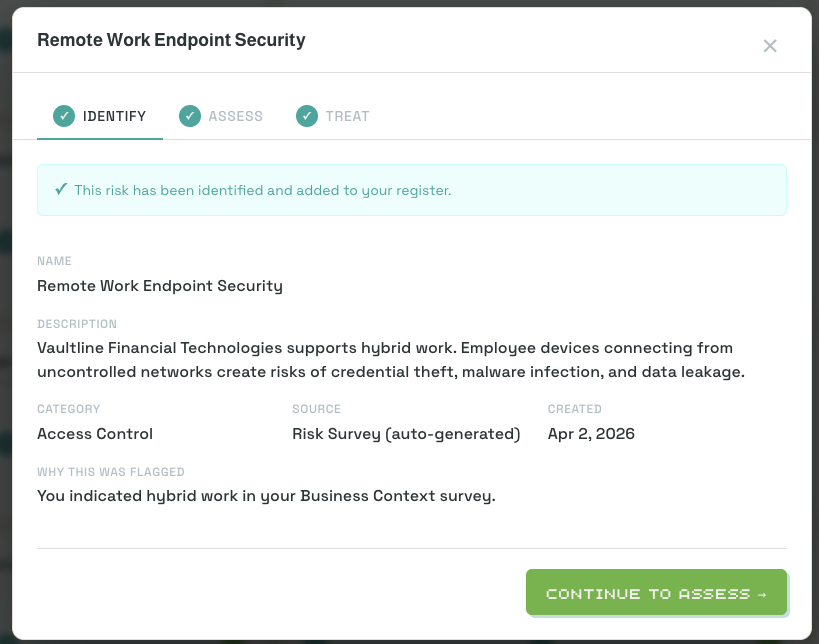
Step 1: Identify
When a risk is created, the Identify step is auto-completed. It shows:
- Risk name and category
- Risk owner
- Which controls this risk relates to
Risks can be created manually via + Add Risk, or they may be auto-generated from the Risk Survey (accessible at the top of the Risk Register page).
Step 2: Assess
Rate the risk's likelihood and impact. ClearPath calculates an inherent risk score and assigns a risk level:
| Level | Meaning |
|---|---|
| Critical | Immediate attention required |
| High | Significant risk requiring prompt action |
| Medium | Moderate risk, plan mitigation |
| Low | Minimal risk, monitor periodically |
Select a treatment approach and assign an owner, then complete the assessment.
Step 3: Treat
Document your treatment plan:
- Treatment plan -- Describe your mitigation strategy
- Control mapping -- Select the controls that mitigate this risk
- Review schedule -- Set how often this risk should be reviewed (annual, semi-annual, quarterly, or monthly)
Completing the Treat step marks the risk as done. ClearPath calculates the next review date based on your selected frequency.
Risk Treatment Strategies
| Strategy | Meaning |
|---|---|
| Mitigate | Implement controls to reduce the risk |
| Accept | Acknowledge the risk and document why it's acceptable |
| Transfer | Shift risk to a third party (e.g., insurance, vendor contract) |
| Avoid | Eliminate the activity that creates the risk |
Risk Status Progression
Each risk tile shows its current status:
- Not Started -- Risk identified but assessment not begun
- Needs Assessment -- Step 2 (Assess) is pending
- Needs Treatment -- Step 3 (Treat) is pending
- Complete -- All three steps finished
What Auditors Expect
Auditors expect to see:
- At least 8-15 documented risks for a typical startup
- A mix of risk categories (access, vendor, operational, data)
- All risks with a documented treatment strategy
- Evidence that the register is reviewed periodically (at least annually)