Understanding Controls
What Is a Control?
A control is a specific requirement defined by a compliance framework -- an action, policy, process, or safeguard your organization must have in place to meet the standard.
Examples:
- SOC 2 CC6.1 -- Logical and physical access controls are implemented
- ISO 27001 A.8.3 -- Information access restriction
- NIST CSF PR.AA-01 -- Identities and credentials are managed
You don't need to work on controls individually. ClearPath's Journey system handles controls for you. When you complete a policy workflow, vendor assessment, or risk assessment, the associated controls are satisfied automatically. Think of controls as the scorecard -- the Journey is how you fill it in.
How Controls Get Completed
Controls are completed automatically when you work through your Compliance Journey. Each Journey activity (policy, vendor assessment, or risk assessment) is mapped to specific controls. When you finish the activity, ClearPath marks the linked controls as Compliant across all active frameworks.
For example, approving your Information Security Policy might satisfy CC1.1 in SOC 2 and GV.PO-01 in NIST CSF simultaneously. You don't need to touch those controls individually -- the crosswalk system handles it.
This is how ClearPath eliminates redundant work: one activity, multiple controls, multiple frameworks.
Where to See Control Progress
Your control progress is visible through the Policies page. Click Policies in the left sidebar to see your policy activities. Each policy tile shows how many controls it covers and its current status.
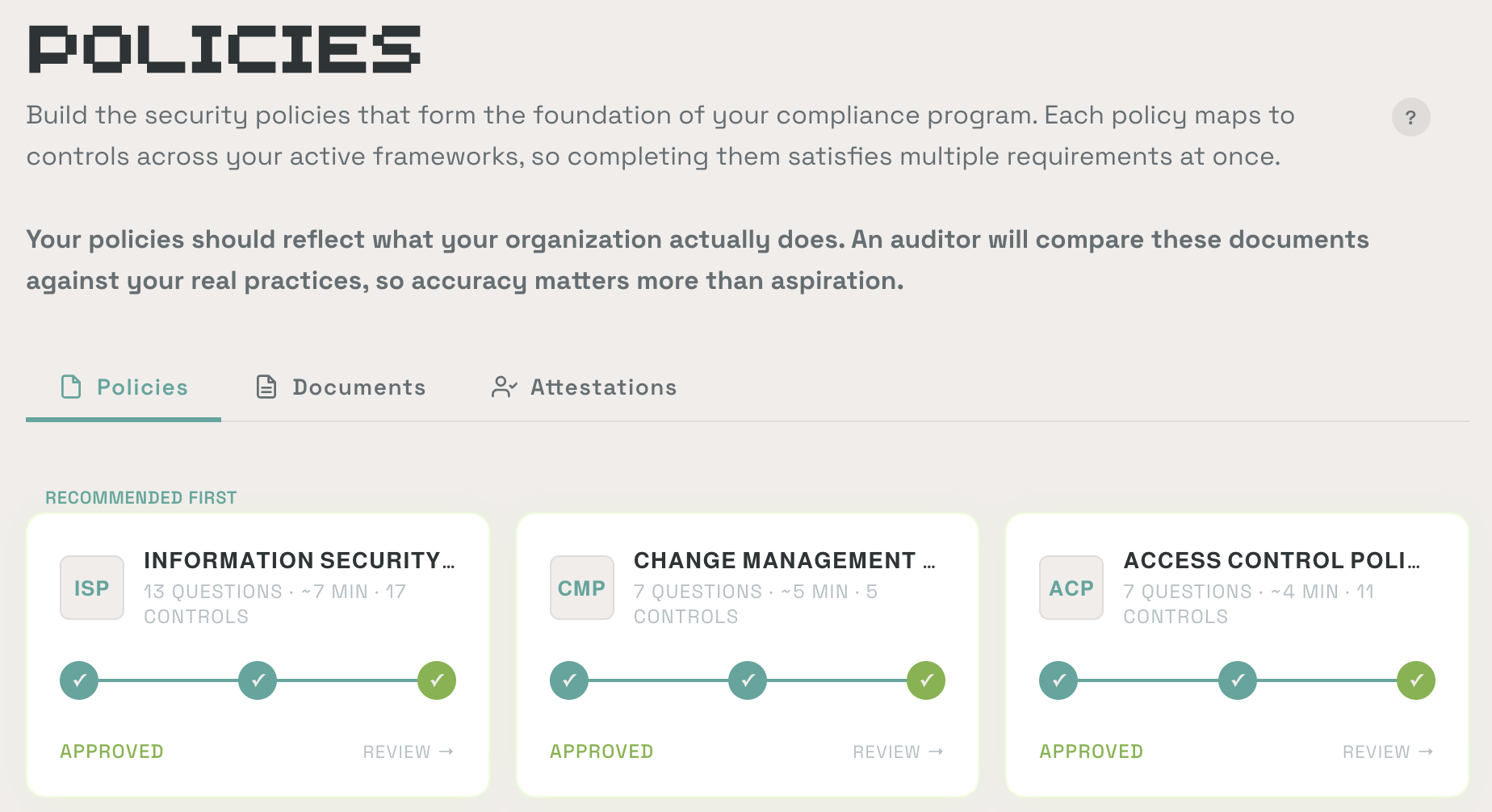
Each tile shows the number of questions, estimated time, and number of controls it satisfies. The status badge (Approved, In Progress, etc.) tells you where you stand.
Viewing an Individual Control
If you want to check the details of a specific control, you can navigate to its detail page. This is useful for understanding exactly what's required or for attaching additional evidence, but it's not where you'll do your day-to-day compliance work.
A control detail page shows:
- The requirement text from the framework
- Which policy or activity satisfies it
- Any attached evidence
- The control's current status
You can also open Ask AI from a control detail page to get specific guidance on that control.
Control Statuses
| Status | Meaning |
|---|---|
| Not Started | No work done yet on this control |
| In Progress | The linked activity has been started but not completed |
| Pending Approval | Work is done and awaiting final approval |
| Compliant | All requirements satisfied, evidence attached |
| Needs Review | Control requires periodic review or has been flagged for reassessment |
| Deficiency Found | An issue has been identified that needs to be addressed |